CX File Explorer Features: A Simple and Powerful Android File Manager
CX File Explorer is a simple and easy-to-use file manager for Android devices. It helps users organize files, manage storage space, and access cloud storage from one convenient interface.
CX File Explorer
Downloads
File Manager
App Information Table
Feature
Description
Copy, move, rename, delete files
Check storage usage
Access cloud accounts
Connect to shared folders
Extract and create ZIP files
CX File Explorer offers a variety of useful features that make file management simple and efficient. From organizing files and checking storage usage to accessing cloud accounts and ZIP files, the app provides everything needed for everyday file management.
Key Features Explained
CX File Explorer brings essential tools into one clear interface for organizing files, reviewing storage use, accessing cloud storage, and managing files across local and network locations.

File Management
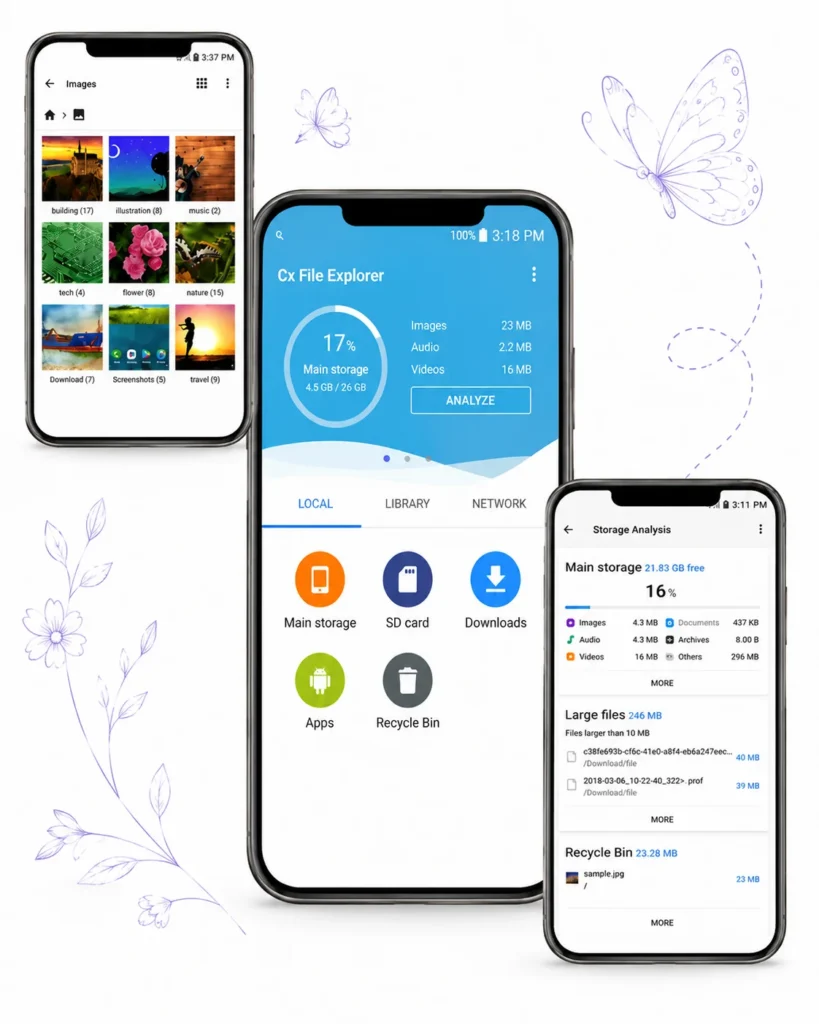
Manage, organize, copy, move, and rename files across internal and external storage. The familiar folder-based interface keeps documents, photos, videos, and folders organized in one place.
Storage Analysis
Use visual storage analysis to review how space is being used. Storage-cleaner tools can identify junk files, duplicate files, and unused apps so users can decide what to remove.
Cloud Storage Support
Access and manage files stored on supported cloud storage services directly from the app. It makes it easier to organize and work with files across multiple storage locations.
Network File Access and Transfer
Access remote and shared storage through FTP, FTPS, SFTP, SMB, WebDAV, and LAN. CX File Explorer can also provide PC access to a mobile device through FTP.
ZIP and Archive Management
Compress and extract archives within the app. Supported release history includes multi-archive extraction and 7z compression.
Recycle Bin
Recover accidentally deleted files before they are permanently removed from your device. The Recycle Bin provides an extra layer of protection for important data and documents.
App Management Features
CX File Explorer can manage apps installed on the device from within its file-management interface.
Android/Data Folder Access
Android may restrict access to the /Android/data folder on some devices or OS versions. On affected devices, Shizuku may be used as a workaround, but availability varies by device and Android version.
Benefits of CX File Explorer
- Organized File Access:
Manage local, external, cloud, and network files from one interface. - Clear Storage Control:
Use visual analysis and cleanup tools to understand and manage storage. - Simple Interface:
A clean Material Design interface keeps common file-management tasks easy to find.