CX File Explorer FAQ
Find answers to common questions about CX File Explorer, including file management, storage analysis, cloud storage support, and APK downloads.
CX File Explorer
Downloads
File Manager
Frequently Asked Questions About CX File Explorer
Below are answers to some of the most common questions about CX File Explorer, including file management, storage features, cloud storage support, APK downloads, and device compatibility.
What is CX File Explorer?
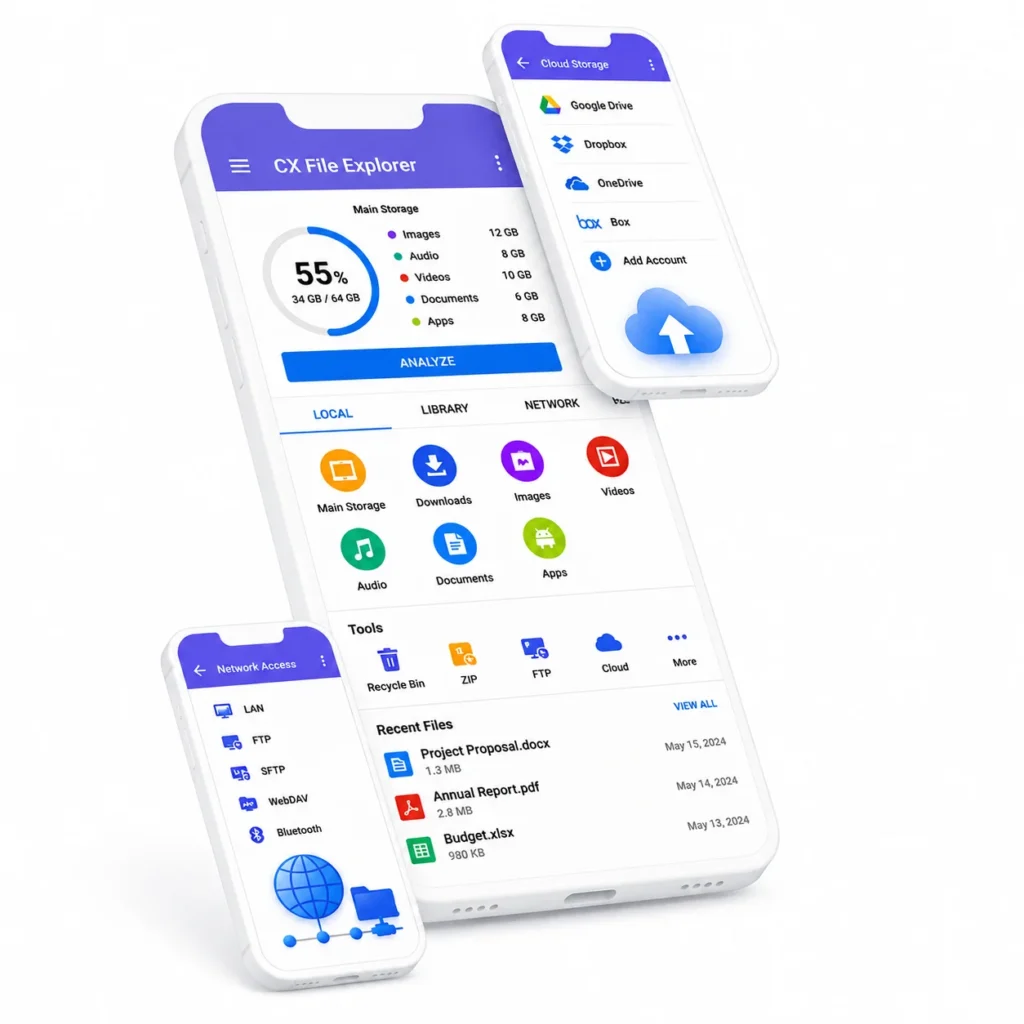
CX File Explorer is an Android file manager for organizing files and folders on internal or external storage. It also supports cloud storage, network access, archives, storage analysis, and installed-app management; see the CX File Explorer features page for a concise overview.
Is CX File Explorer free to use?
Yes. CX File Explorer is available as a free Android file-management app.
What is the latest CX File Explorer version available on this website?
The current version available here is CX File Explorer 2.7.8. Use the current download page to get the latest website-hosted APK.
Which Android versions support CX File Explorer?
The current website-hosted APK requires Android 5.0 or later. Features and permission screens can behave differently depending on the device manufacturer and Android version.
How do I install the CX File Explorer APK on Android?
Download the APK, open it on your Android device, and follow the installation prompt. Android may ask you to allow that browser or file manager to install unknown apps; the exact screen and wording vary by device and Android version.
Is CX File Explorer safe to install?
The official Google Play version is distributed through Google Play. Installing an APK from outside Google Play is sideloading and requires additional trust and permission. This website’s hosted 2.7.8 APK has been checked against the package, signing certificate, and hashes listed below, but matching them verifies that a download matches the tested hosted file—it does not prove that every APK from every source is safe.
How can I verify the downloaded CX File Explorer APK?
For this website’s 2.7.8 APK, verify package com.cxinventor.file.explorer, signing certificate CN cxinventor, SHA-256 a29338669cf3ff0601fa1d2bb24071261384751d2bc3e5c32c5c8023903d3739, and SHA-1 d3aa31d5a38124dd852f08fa083c89fa7bc89eb7. A mismatch means the file is not identical to the verified hosted APK.
What permissions does CX File Explorer need?
CX File Explorer needs file or storage access for the file-management functions you choose to use. Android may request additional access for protected locations or related features, and the permission names and screens vary by device and Android version.
Why does CX File Explorer show “Access denied” for /Android/data?
Android restricts access to /Android/data on some versions and devices. If CX File Explorer shows “Access denied,” the operating system or device policy may be preventing access; the app cannot guarantee access on every device.
Why can’t I select “Use this folder” for /Android/data?
Android’s system file picker may disable “Use this folder” for protected locations such as /Android/data. This behavior varies by Android version and device manufacturer and is not necessarily an error in CX File Explorer.
When might Shizuku be relevant for CX File Explorer?
On some devices affected by Android storage restrictions, Shizuku may provide a workaround for access to protected locations. It is not always required, it may not work on every device, and it does not guarantee universal access to /Android/data.
Does CX File Explorer support cloud storage?
Yes. CX File Explorer supports access to compatible cloud storage services. Connection steps and availability can vary by service, account permissions, and Android version.
How do I connect CX File Explorer to a PC or network storage?
CX File Explorer supports FTP, FTPS, SFTP, SMB, WebDAV, LAN, and PC access through FTP. Choose the relevant network option in the app and enter the address and credentials supplied by the PC, server, or shared-storage administrator.
What should I check when a network connection or file transfer fails?
Confirm that the devices are on the same or otherwise reachable network where applicable, then check the IP address or hostname, credentials, share or folder permissions, firewall and network reachability, and available space at the destination.
Does CX File Explorer include storage analysis and cleaner tools?
Yes. It provides visual storage analysis and can identify junk files, duplicate files, and unused apps so you can review what is using storage before deciding what to remove.
Can CX File Explorer create or extract ZIP and 7z archives?
CX File Explorer supports compression and extraction within the app. Current release history also supports multi-archive extraction and 7z compression; available actions can vary by archive type.
Where can I find older versions of CX File Explorer?
Previous website-hosted releases are listed on the Old Versions page. Older releases may lack later fixes or may behave differently on newer Android versions.

Ready to Download CX File Explorer?
Download the latest version of CX File Explorer APK and enjoy simple file management on your Android device.
Get the latest version of CX File Explorer APK for your Android device.